Creating the data source
Mixpanel is a tool for storing and analyzing the behavior of web and mobile applications.
It has a simple and resilient API that allows you to quickly collect various events related to your product.
Adding the data source
To add Mixpanel on Kondado, follow the steps below:
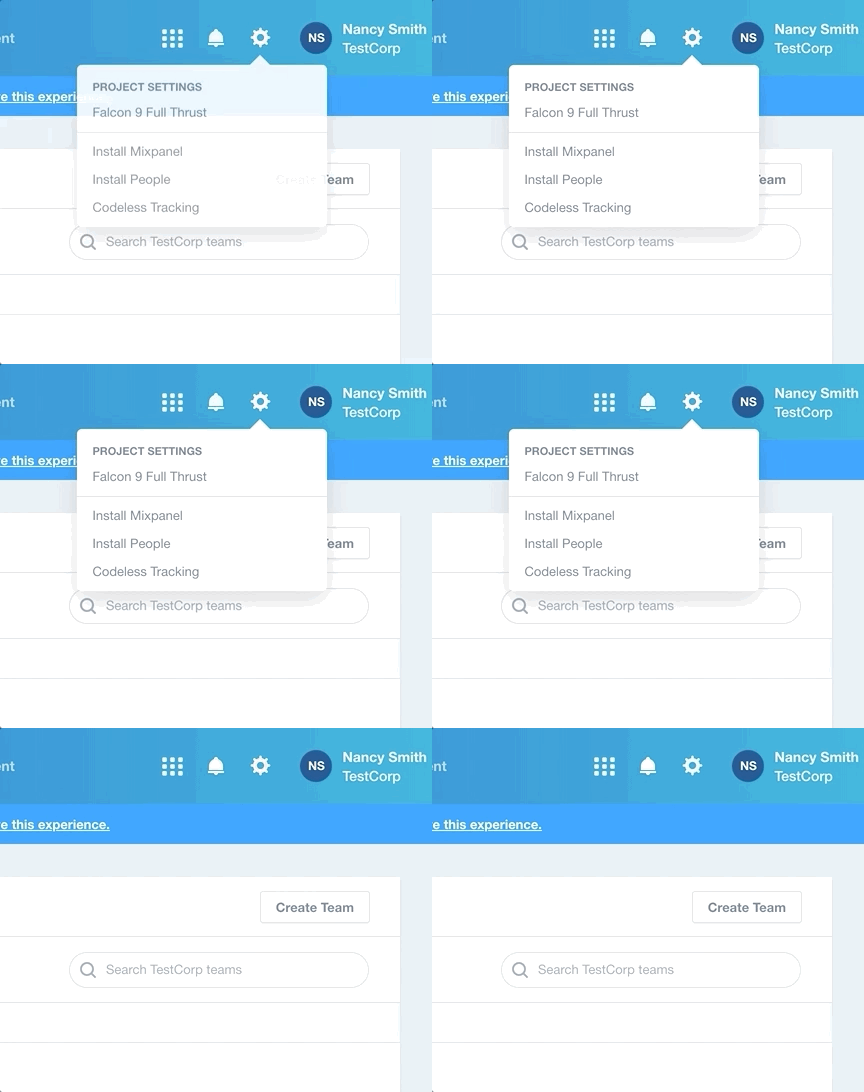
1) Log in to your Mixpanel account and click on the gear in the top right bar
2) In "PROJECT SETTINGS" select the project you want to pull data from
3) On the project settings page, locate the "ACCESS KEYS" section
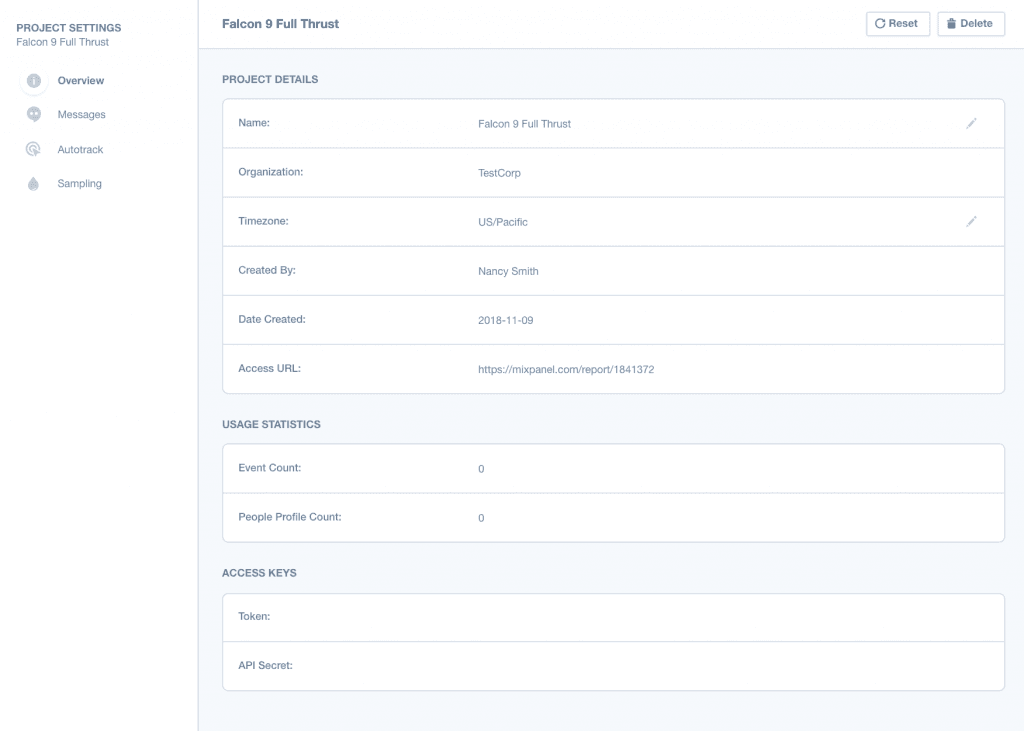
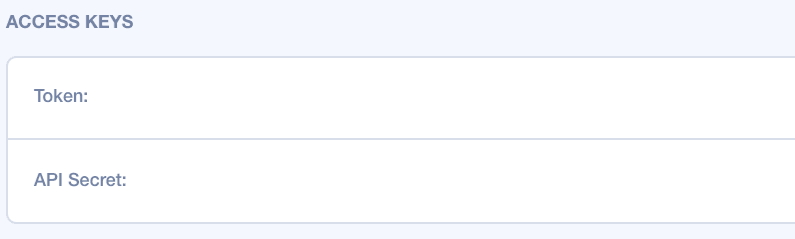
4) In ACCESS KEYS, copy the value of "API Secret" (the data below is fictitious)
5) On the Kondado platform, go to the add new sources page and select the Mixpanel data source
6) Give your data source a name and in "API Secret", paste the value copied in step (4)
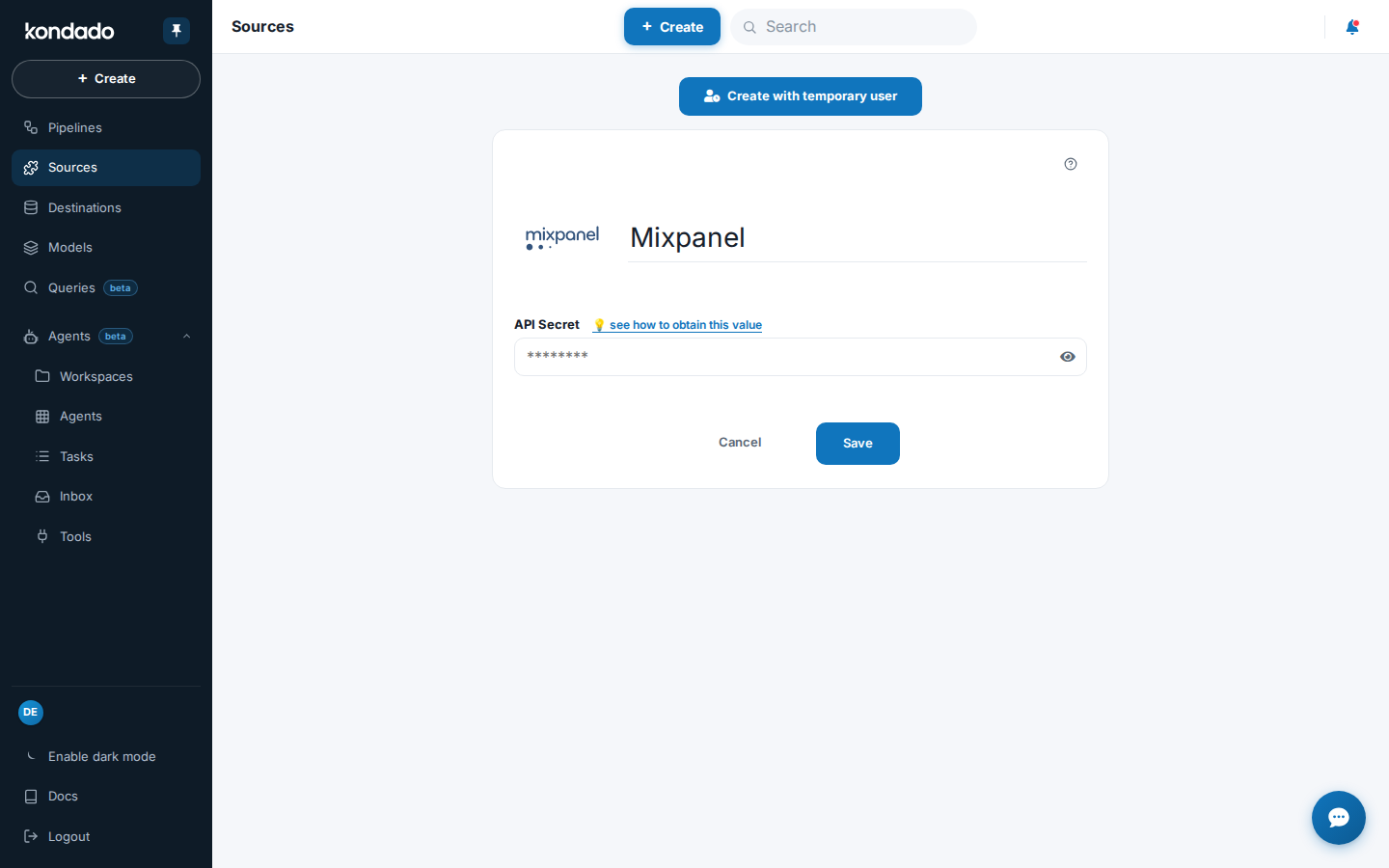
Now you can save the data source and start replicating Mixpanel events into your Data Warehouse or Data Lake!
Pipelines
Summary
Relationship chart
Click to expand
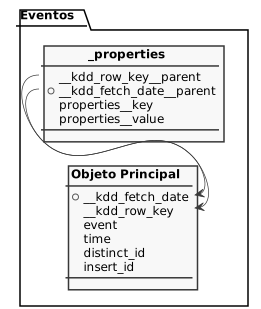
Events
Replication type: Incremental with update window
Parameters:
- Update window (days): How many days previous to the savepoint the same record can still be updated
- Read start date (Savepoint): Initial date to replicate data
Main object
| Campo | Tipo | |
|---|---|---|
|
date |
||
|
text |
||
|
text |
[en] Name of the tracked event (the instrumented user action in the product). |
|
|
float |
[en] Timestamp when the event occurred. |
|
|
text |
[en] Unique user/device identifier tying together events from the same person. |
|
|
text |
[en] Unique event identifier used to deduplicate repeated events. |
events_properties
Notes
- Part of this documentation was automatically generated by AI and may contain errors. We recommend verifying critical information
Add Mixpanel as a data source on Kondado
Connect your Mixpanel account to Kondado to replicate event data into your data warehouse or data lake.
Access Mixpanel project settings
Log in to your Mixpanel account and click the gear icon in the top right bar to open PROJECT SETTINGS, then select the project you want to pull data from.
Copy your API Secret
On the project settings page, locate the ACCESS KEYS section and copy the value of API Secret — this credential is required for Kondado to authenticate with Mixpanel.
Add Mixpanel on the Kondado platform
On the Kondado platform, navigate to the add new sources page and select the Mixpanel data source connector.
Configure and save the data source
Give your data source a name and paste the API Secret copied earlier into the corresponding field. Save the source to begin replicating Mixpanel events into your destination.
Frequently asked questions
event, time, distinct_id, insert_id, and nested _properties with key-value pairs. This lets you analyze user behavior from web and mobile applications in your data warehouse.