02. Adding destinations
To add destinations on the Kondado platform, follow the steps below:
- Access the Kondado platform at https://app.kondado.com.br and enter your login information.
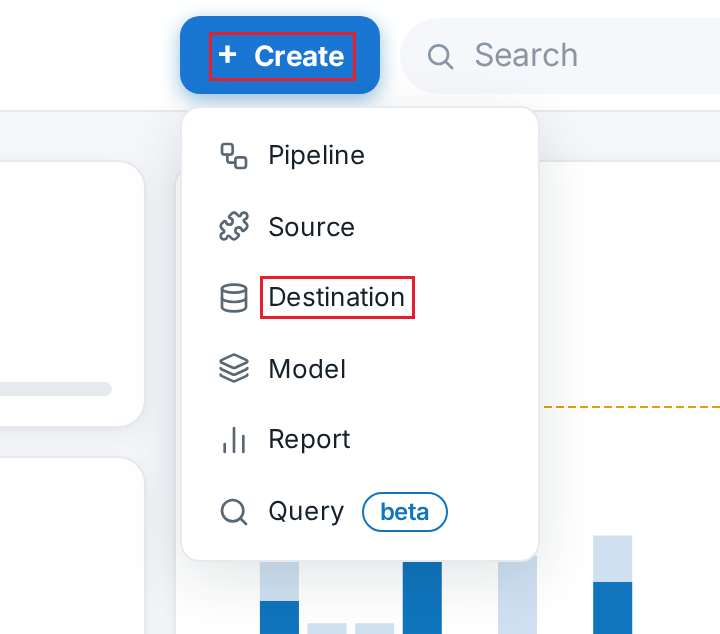
- After logging in, click on "+ Create" and then select “Destination”:
03. Next, select your preferred destination: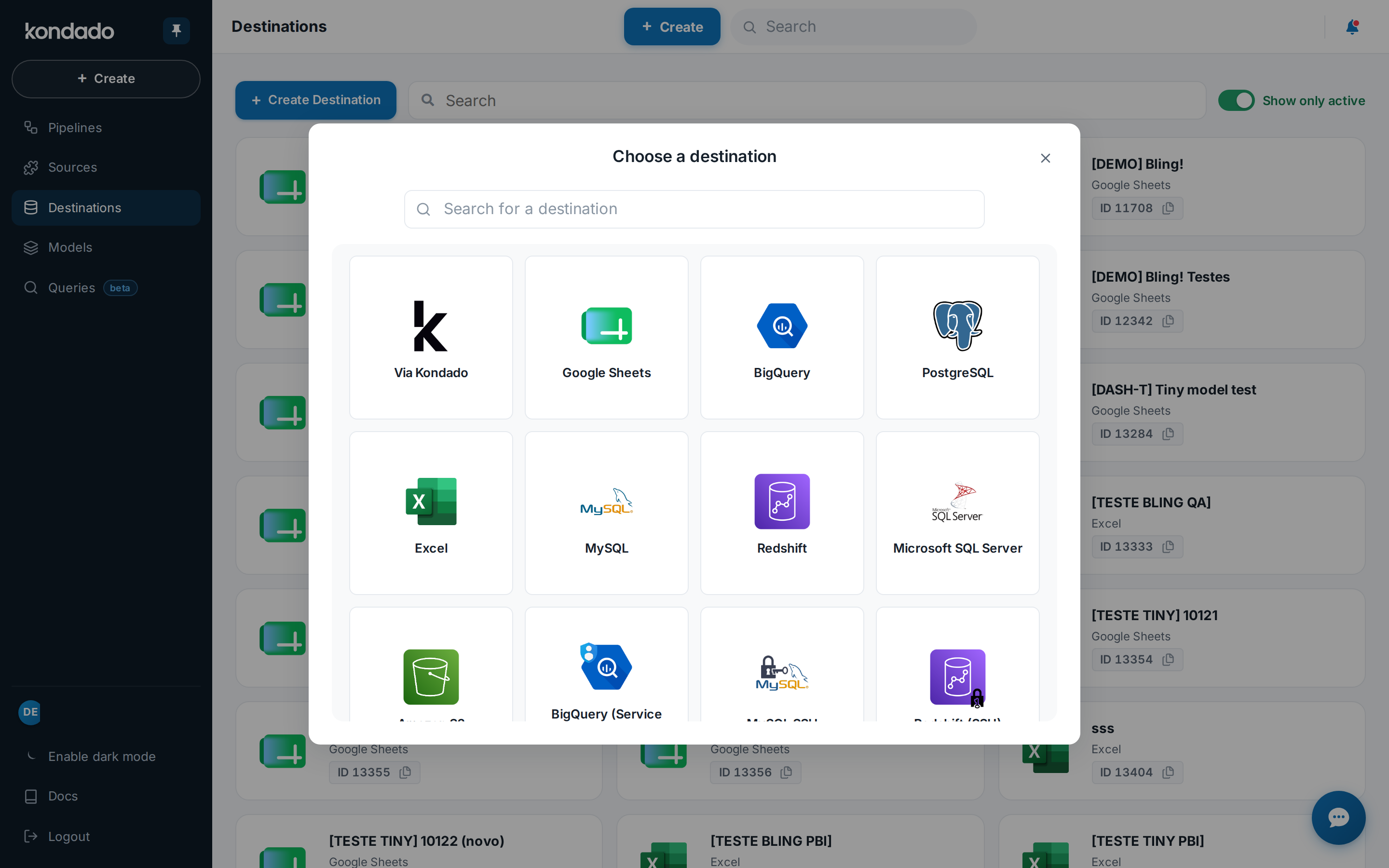
04. Configure your destination with required data and click on "SAVE" to add it:
Add a destination on Kondado
Learn how to add a destination to your Kondado platform to send data from your sources.
1
Access the Kondado platform
Go to app.kondado.com.br and log in with your credentials to access your account.
2
Open the creation menu
After logging in, click on "+ Create" and then select "Destination" from the available options.
3
Choose your destination type
Select your preferred destination from the list. You can explore all available destinations to understand which one fits your needs.
4
Configure and save the destination
Fill in the required configuration data for your chosen destination and click "SAVE" to complete the setup.
Frequently asked questions
What is a destination in Kondado?
A destination is where your data from various sources is sent after being processed. Kondado supports multiple destinations including BI tools, data warehouses, and spreadsheets. You can view all supported options on the destinations page.
Do I need to create an account before adding a destination?
Yes, you need to have a Kondado account and be logged in at app.kondado.com.br before you can add any destination to your platform.
What happens after I click "+ Create"?
After clicking "+ Create", you will see options including "Destination". Selecting it will take you to a list of available destination types that you can configure and add to your account.
Is there any cost to add destinations?
The article does not specify costs for adding destinations. For pricing details, please check the pricing page to understand the plans available on the platform.
Can I add multiple destinations to my account?
Yes, the platform allows you to add and configure multiple destinations. You can set up different destinations for different data needs, such as sending marketing data to a BI tool while sending sales data to a spreadsheet.
