To add sources on the Kondado platform, follow the steps below:
Access the Kondado platform at https://app.kondado.com.br and enter your login information.
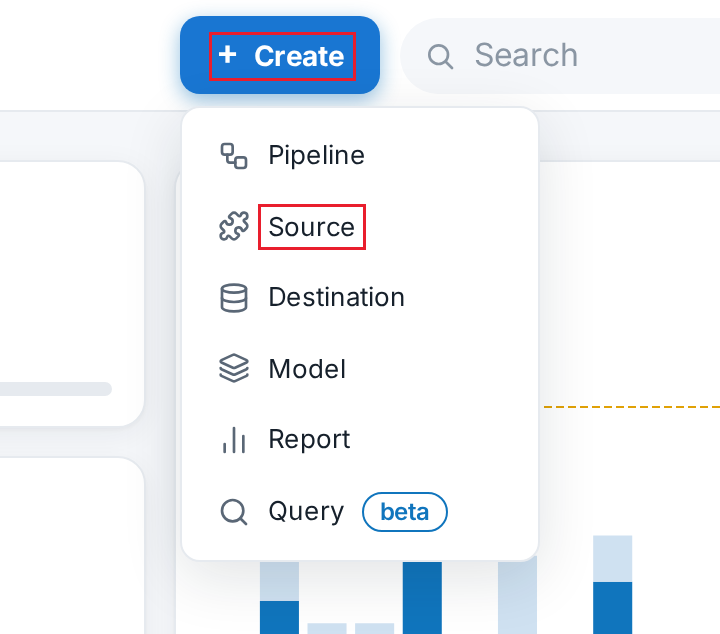
After logging in, click on "+ Create" and then select "Source":
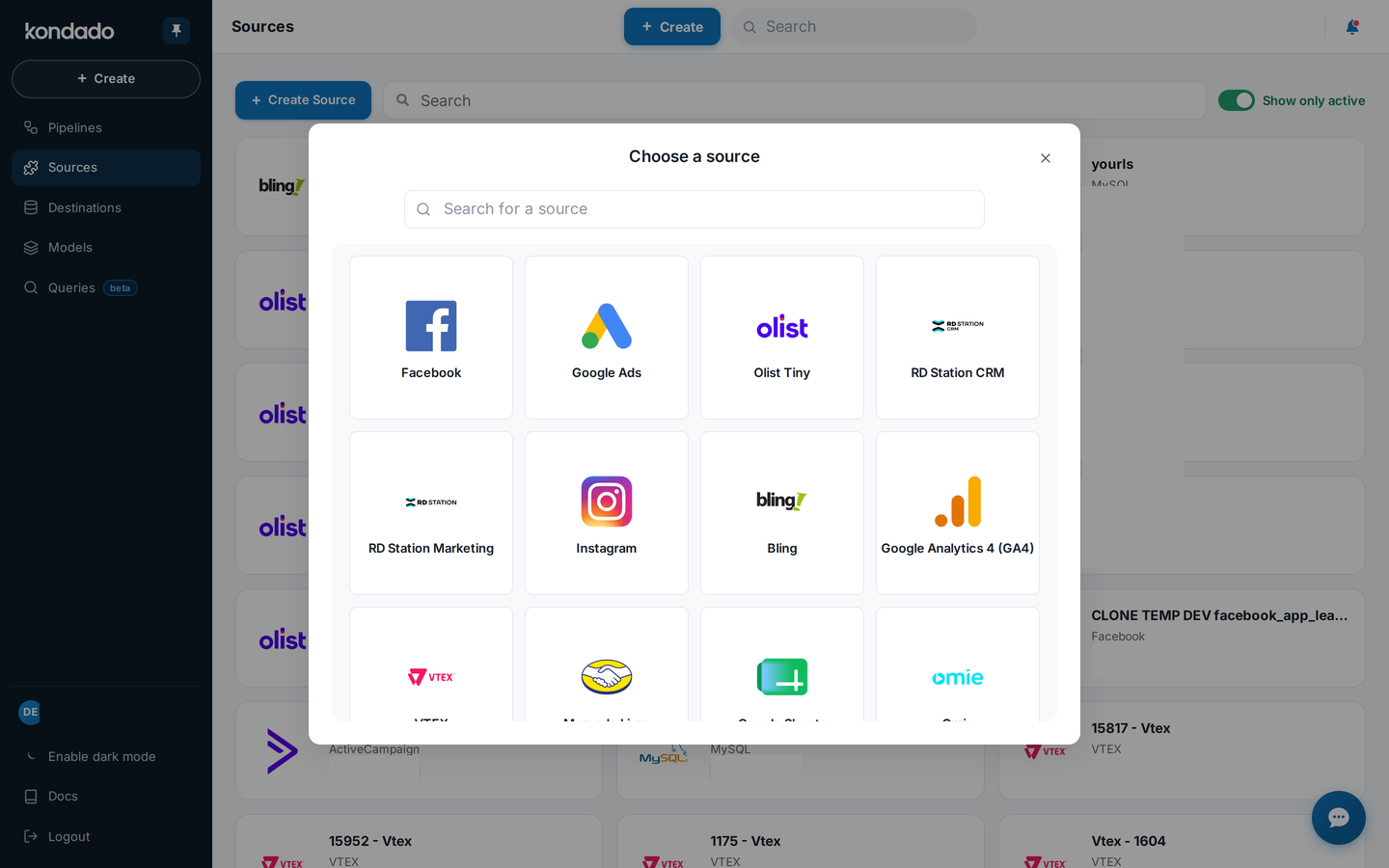
Select the source you want:
Click on the question mark icon located in the upper right corner of the box to access the step-by-step guide on how to add the specific source. Once the configurations are completed, click "SAVE":
Add a Source on Kondado
Learn how to connect your CRM, ads, e-commerce, or database sources to the Kondado platform for data integration.
Access the Kondado platform
Go to app.kondado.com.br and log in with your credentials to access your workspace.
Open the creation menu
Click on "+ Create" and then select "Source" to begin adding a new data source to your pipeline.
Choose your source
Select the specific source you want to connect from the available options, such as CRM, ads platforms, e-commerce, or databases.
Configure and save
Click the question mark icon in the upper right corner of the box for the step-by-step guide specific to that source. Complete the configurations and click "SAVE" to finalize.
