11. Agents: scheduled tasks
Beta. Agents are in beta: the screens and features described here may change as we evolve the product. If something looks different on your screen, contact our support from the logged-in area of the platform.
A scheduled task is a request the agent runs on its own at the times you choose, such as a report every Monday at 9 a.m. Each run creates a new task, tagged as scheduled.
Create a scheduled task
- In Agents, open the agent and go to the Scheduled tab.
- Click New scheduled task.
- Write the request.
- Choose when it runs (once, at a date and time, or every N minutes, hours, days…) and the time zone.
- Check the upcoming runs and save.
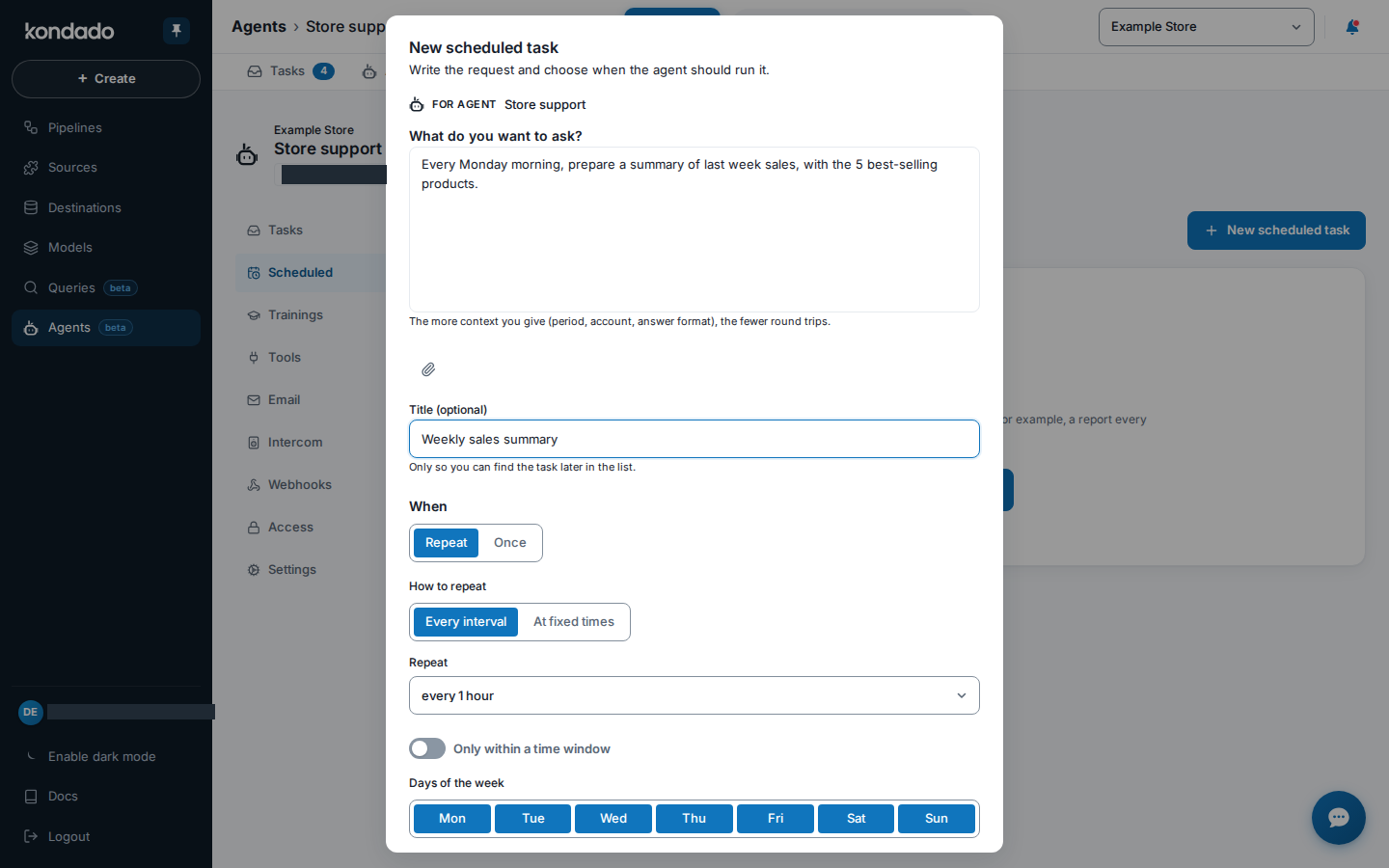
You can also ask directly in the conversation, for example: "run this every Monday at 9 a.m.".
If a run is missed
Choose what happens when a run cannot happen on time: skip it and wait for the next one (default), or run once as soon as possible.
Follow, pause and edit
- The run history shows each run and the task it created.
- You can pause and resume the scheduled task at any time.
- Edits apply to the next runs.
- If you change the content of someone else's scheduled task, ownership moves to you. The screen asks for confirmation first.
Limits
- The minimum interval between runs is 15 minutes.
- Tasks that arrived by email, webhook or Intercom do not create scheduled tasks.
- For each scheduled task, you choose which capabilities it can use (Email, Intercom, Webhook).
Create a scheduled task for an agent
Schedule a recurring request and follow its runs.
1
Open the Scheduled tab
In Agents, open the agent and go to the Scheduled tab.
2
Click New scheduled task
Write the request the agent should run.
3
Choose when
Set the frequency and time zone.
4
Choose the missed-run behavior
Skip and wait for the next one, or run once as soon as possible.
5
Save and follow
Check the upcoming runs and follow the run history.
Frequently asked questions
How do I schedule a recurring request?
In the agent's Scheduled tab, click New scheduled task, write the request and choose when it runs.
What is the minimum interval?
15 minutes between runs.
What happens if a run is missed?
It depends on the option chosen: skip and wait for the next one (default) or run once as soon as possible.
Where do I see the result of each run?
Each run creates a new task. The scheduled task's run history lists them.
Can I pause a scheduled task?
Yes. You can pause and resume it at any time.