On this page, you can learn more about Kondado's plans and their limits.
Understanding Kondado Plan Limits
All Kondado plans are characterized by only two types of limits: the number of active pipelines and the number of records successfully inserted into the data destination. The number of sources, users, and models registered on the platform is unlimited.
Number of pipelines
The limit on the number of pipelines refers only to active pipelines. When a pipeline is deactivated, it automatically stops counting toward the limits of your plan or free trial.
Number of records
Each successfully inserted row of up to 500 bytes is counted as one record. The limits defined in each plan refer to the number of records transferred during the month, not the total number of records stored in your destination. At the end of a pipeline execution, the number of records is calculated based on the total volume of data inserted or updated. If a row exceeds 500 bytes, it is counted as multiple records, proportionally to its size, rounded up to the nearest whole number. This adjustment ensures that smaller datasets with heavier rows are properly accounted for in the plan usage. This adjustment does not apply to the Via Kondado destination
Example:
If a pipeline inserts 10,000 rows totaling 10 MB (10,000,000 bytes), the total is divided by 500 bytes:
10,000,000 ÷ 500 = 20,000 records counted for the month.
Rows successfully inserted are:
– New records from your data source inserted into the destination table with each pipeline execution;
– Records updated in your data source replicated in your destination table with each pipeline execution;
– In the case of a full pipeline execution, reinsertion of data into the destination table.
There are three (3) different types of pipelines on the Kondado platform. The pipeline type can affect the consumption of integrated records in your plan. To understand the pipeline types, click here.
On the platform's homepage, you can monitor your integrated row consumption for the current month. The consumption line chart is separate from the free rows chart, which do not count toward the plan limits. We send email reminders to users who choose to receive platform notifications when plan consumption reaches 50%, 80%, and 100% of integrated rows.
If the record limit of the plan is reached before the last day of the month, the pipelines will be automatically paused until the cycle restarts or the plan is upgraded. The record limit for all plans is always reset on the first day of each month.
By accessing **Settings > Financial**, you can update your company registration details, invoice due date, payment method, and Kondado plan at any time. The user must have the "Manage Financial" permission to make these changes.
To subscribe to Kondado, simply log in to the platform and follow the steps below:
Click on "Subscribe to Kondado now" or "Upgrade now" in the banner that will appear on your homepage: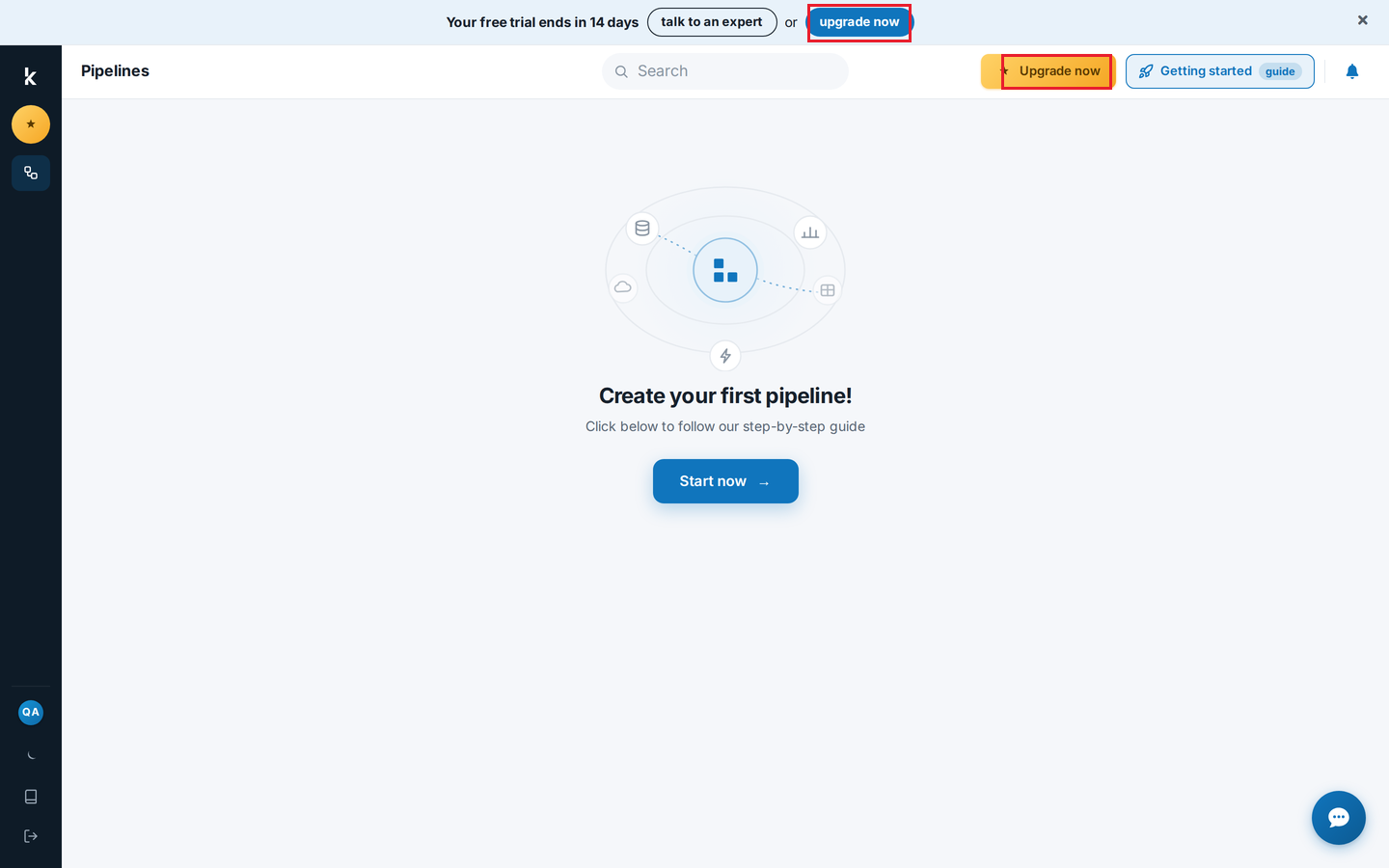
Choose the desired plan from the available options:
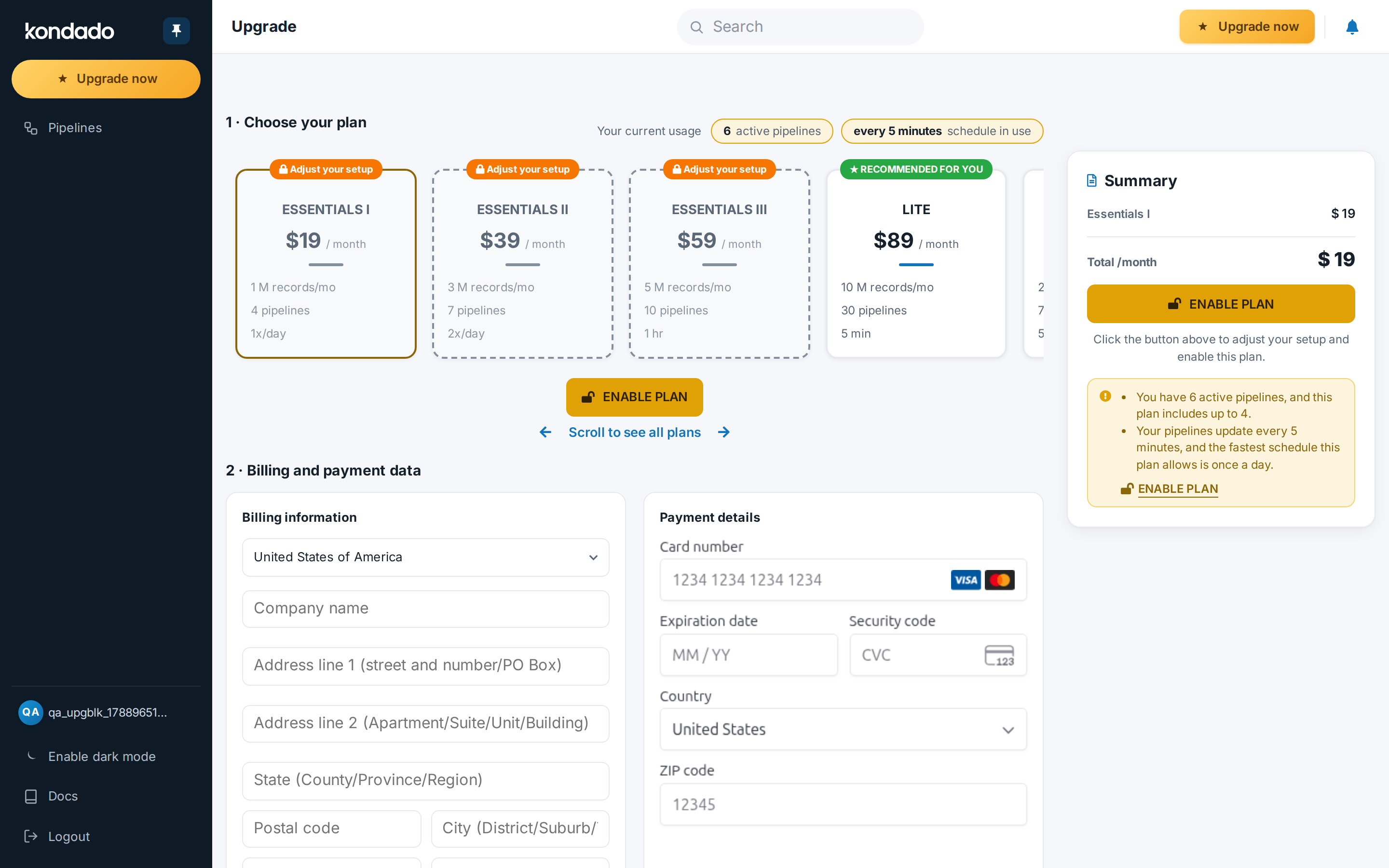
You will also need to select the country where the company operates: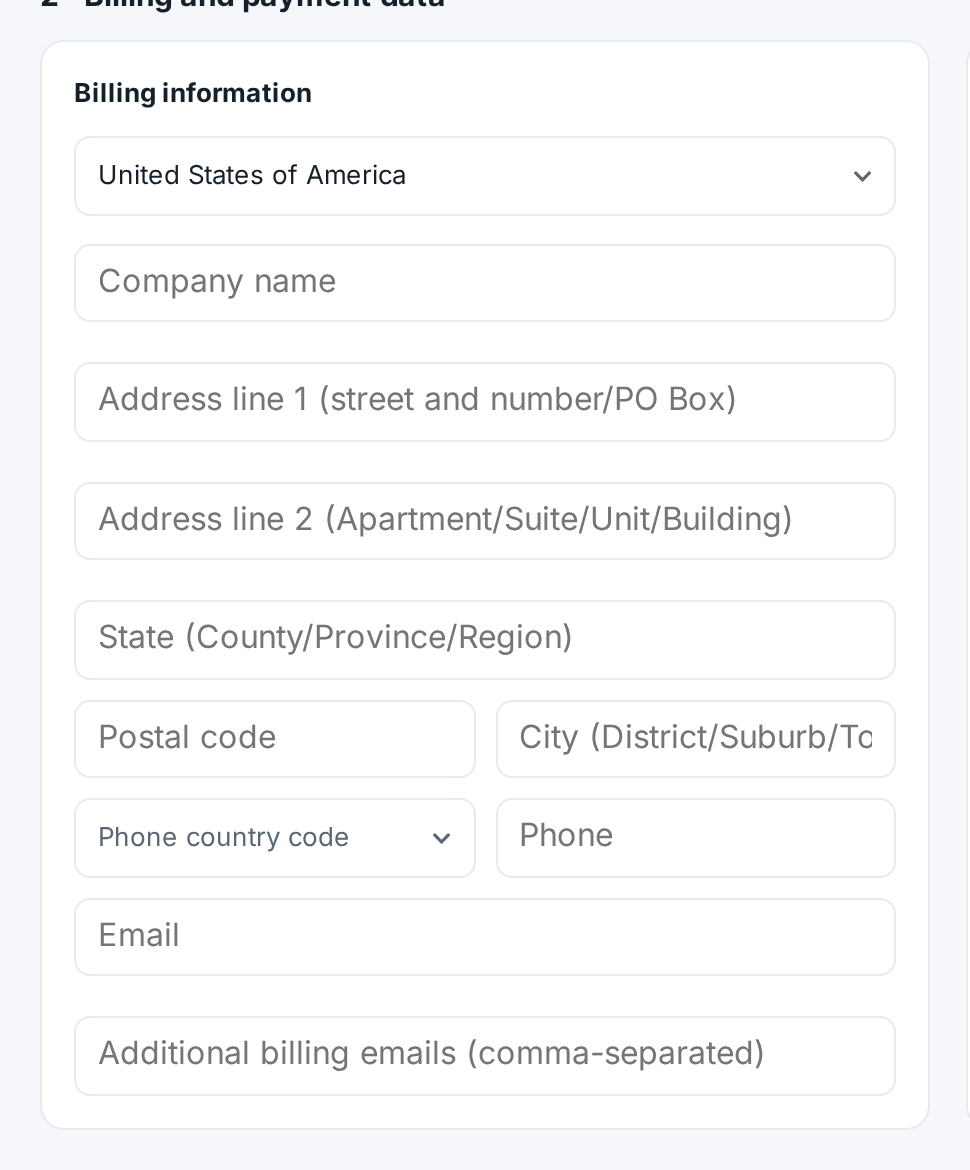
Fill in your company information.
Simply fill in the credit card information that will be used for monthly payments: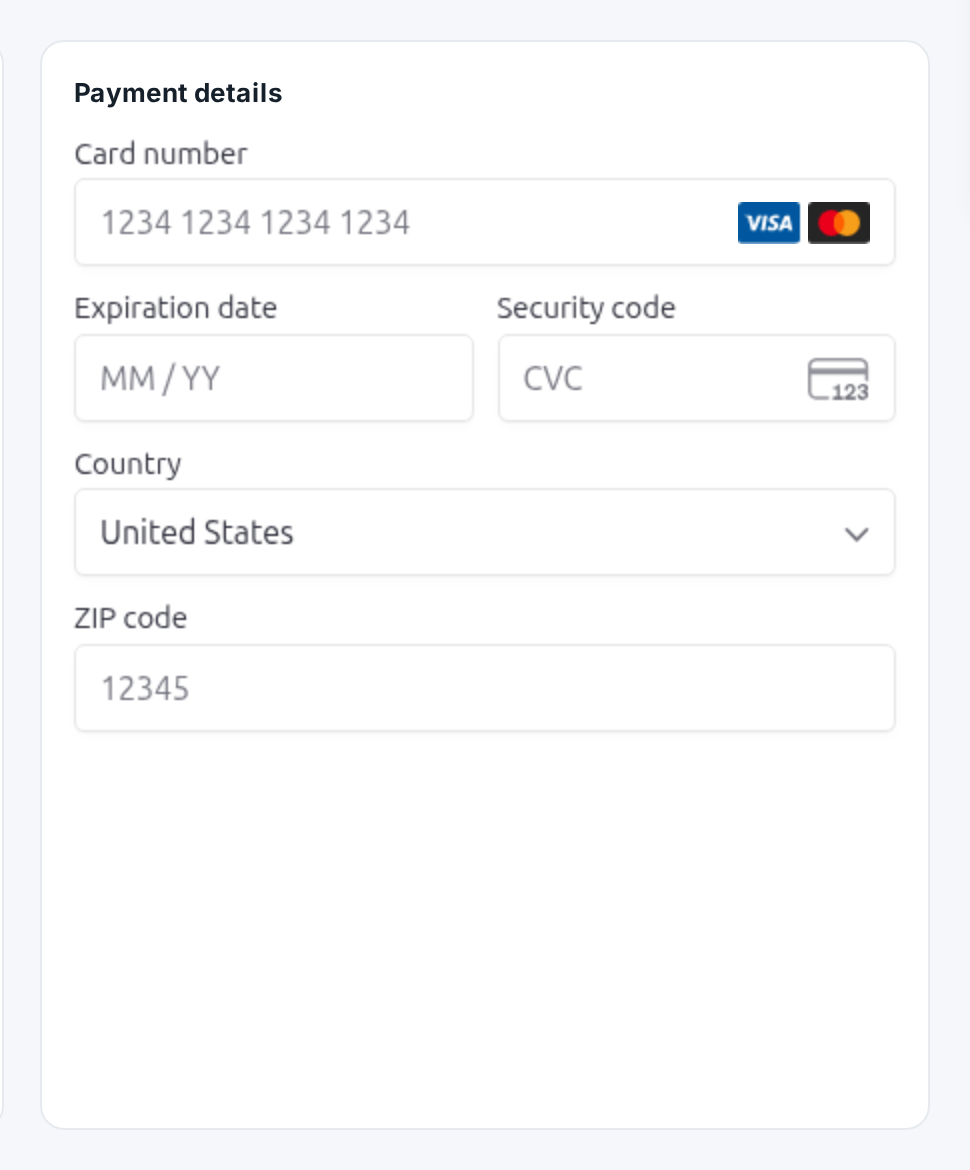
Now, review your plan details and payment method, then click on “CONFIRM”:
If you choose to use Via Kondado, use the − / + stepper in the 2 · Via Kondado section, right below the list of plans (the section only appears when you are subscribing from a trial):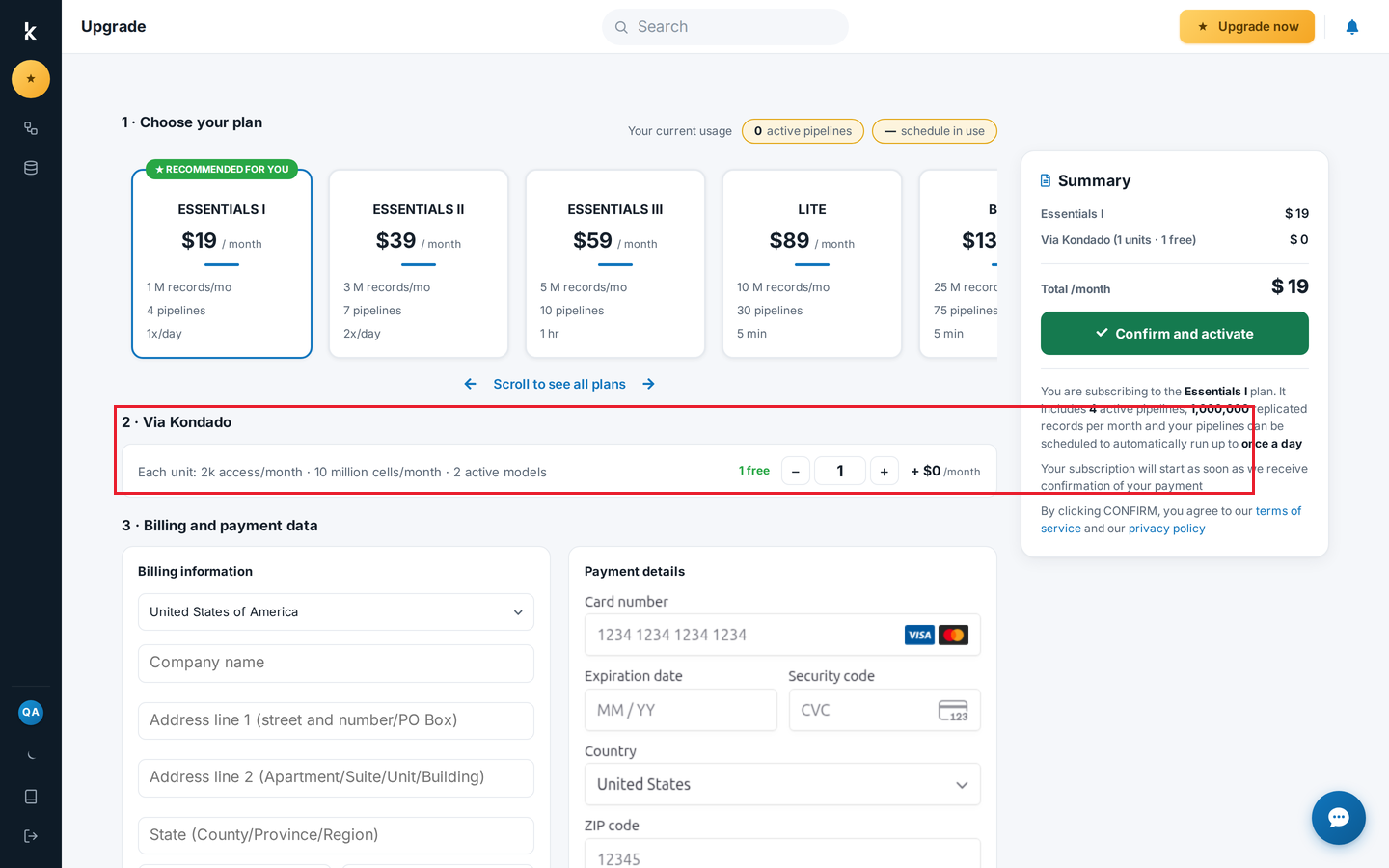
If you are using Kondado's free trial services and choose to subscribe to a paid plan, we will adjust your pipelines and frequencies according to the selected plan.
After confirming the payment method with a credit card, the card validation and transaction confirmation will be performed. In case of any issues, you will be notified. Your plan will be activated as soon as the transaction is successfully completed.
Manage Kondado plan limits and subscription
Learn how to monitor your pipeline and record usage, and upgrade your Kondado plan when needed.
Monitor your monthly record consumption
On the Kondado platform homepage, check the consumption line chart to track your integrated rows for the current month. This is separate from free rows, which do not count toward plan limits.
Understand how records are calculated
Each row up to 500 bytes counts as one record. Larger rows are counted proportionally (rounded up). For example, 10,000 rows totaling 10 MB equals 20,000 records. Note this adjustment does not apply to the Via Kondado destination.
Set up consumption alerts
Enable email notifications in your account settings to receive reminders when your plan consumption reaches 50%, 80%, and 100% of integrated rows.
Upgrade or change your plan
Go to Settings > Financial (requires "Manage Financial" permission) to update your payment method, invoice due date, or Kondado plan. You can also click "Subscribe to Kondado now" or "Upgrade now" from the homepage banner.
Complete subscription with credit card
Select your desired plan, choose your company's operating country, fill in company and credit card details, then review and confirm. Your plan activates immediately after successful transaction validation.
