Creating the data source
Derived from the word "humongous" (in English: something bigger than gigantic), MongoDB is one of the most used non-relational databases (NoSQL) in the world. Much of this success is due to the fact that, in addition to the open source version, the company behind Mongo also offers Mongo Atlas, a hosted version of the non-relational database.
Dealing with no-sql databases brings certain complications, especially when considering that Mongo does not enforce typing, which means that each document (record) of a collection (something similar to a table in a relational database) can have a different format; in addition, a variable (similar to a column) in one document can assume different values than in another. In one document, the "createdAt" column can assume the value of "2020-01-01" and in another, "01/01/2020" or even "January 1, two thousand and twenty".
In addition to the necessary care in the development of applications in production to maintain a certain standard in the collections, analyzing data coming from Mongo is something a little more complex when talking about analytics and data science, since basic functions such as the sum of a variable/column need to deal with the fact that some of the documents may take on non-numeric values.
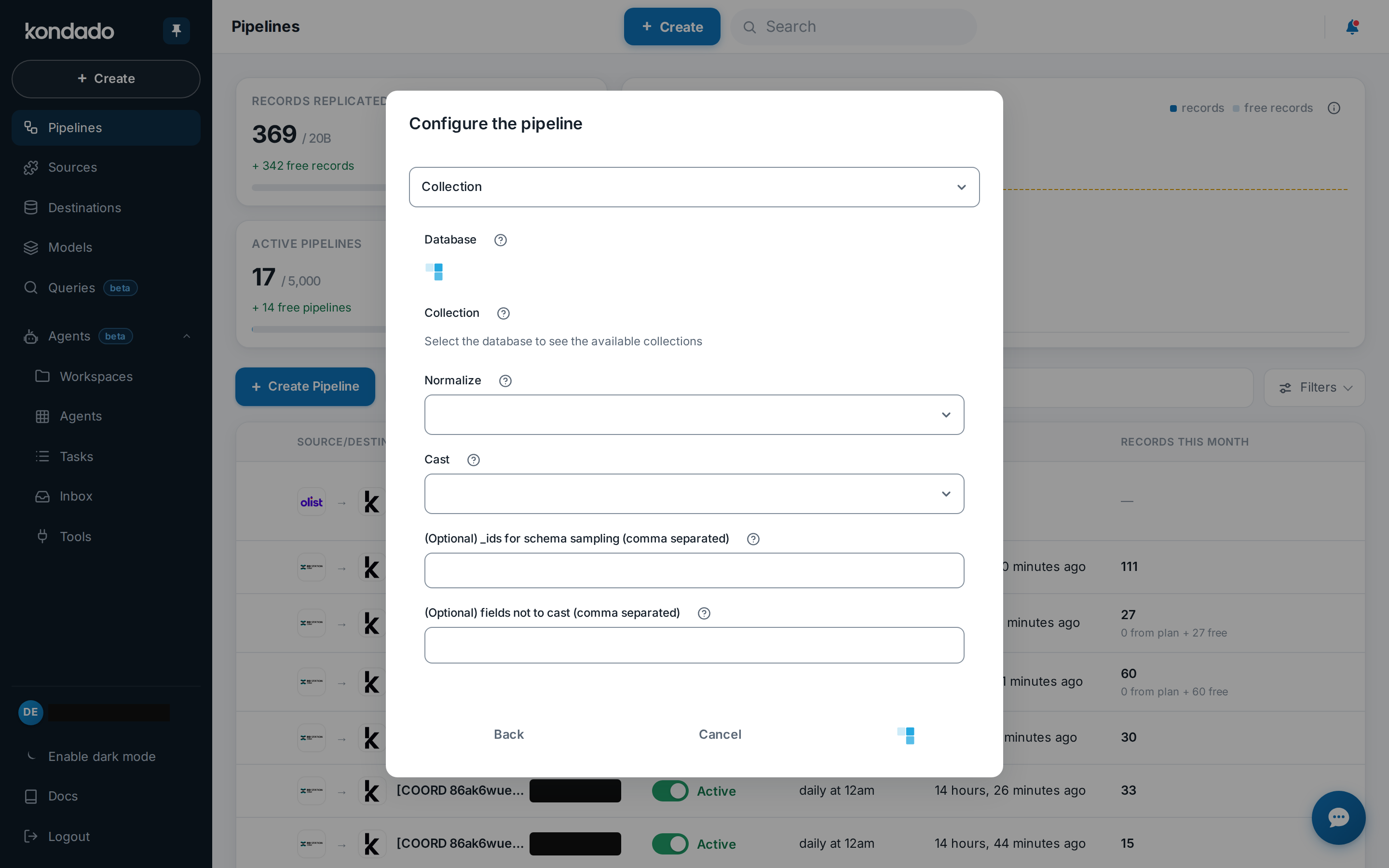
When we developed our first data source with Mongo, a lot of manual casting and normalization was required for a relational structure. Today we are releasing a new version that includes:
- Option to automatically detect the type of column/variable and convert it to a defined format so that this data can be inserted into a relational database
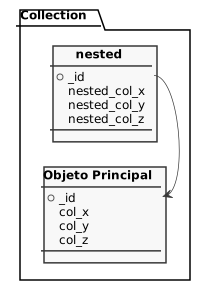
- Normalizing nested documents to the tables that are needed by mapping the document from a non-relational structure to a relational one
- Incremental integration, making it possible to fetch only the new or updated documents of each collection
Adding the connector
To add the mongo connector on the Kondado platform, you first need to allow our IPs to access the database.
Once you have allowed our IPs on your firewall, you can add your information in 2 ways: individual parameters or connection string. To select between them, use the "Connection method" parameter.
If you have selected the connection method Connection string, you can add the connection string in the "Connection string" field. Some examples of connection strings are below. See more on how to format your connection string
Connection string examples:
mongodb://mongodb0.example.com:27017mongodb+srv://server.example.com/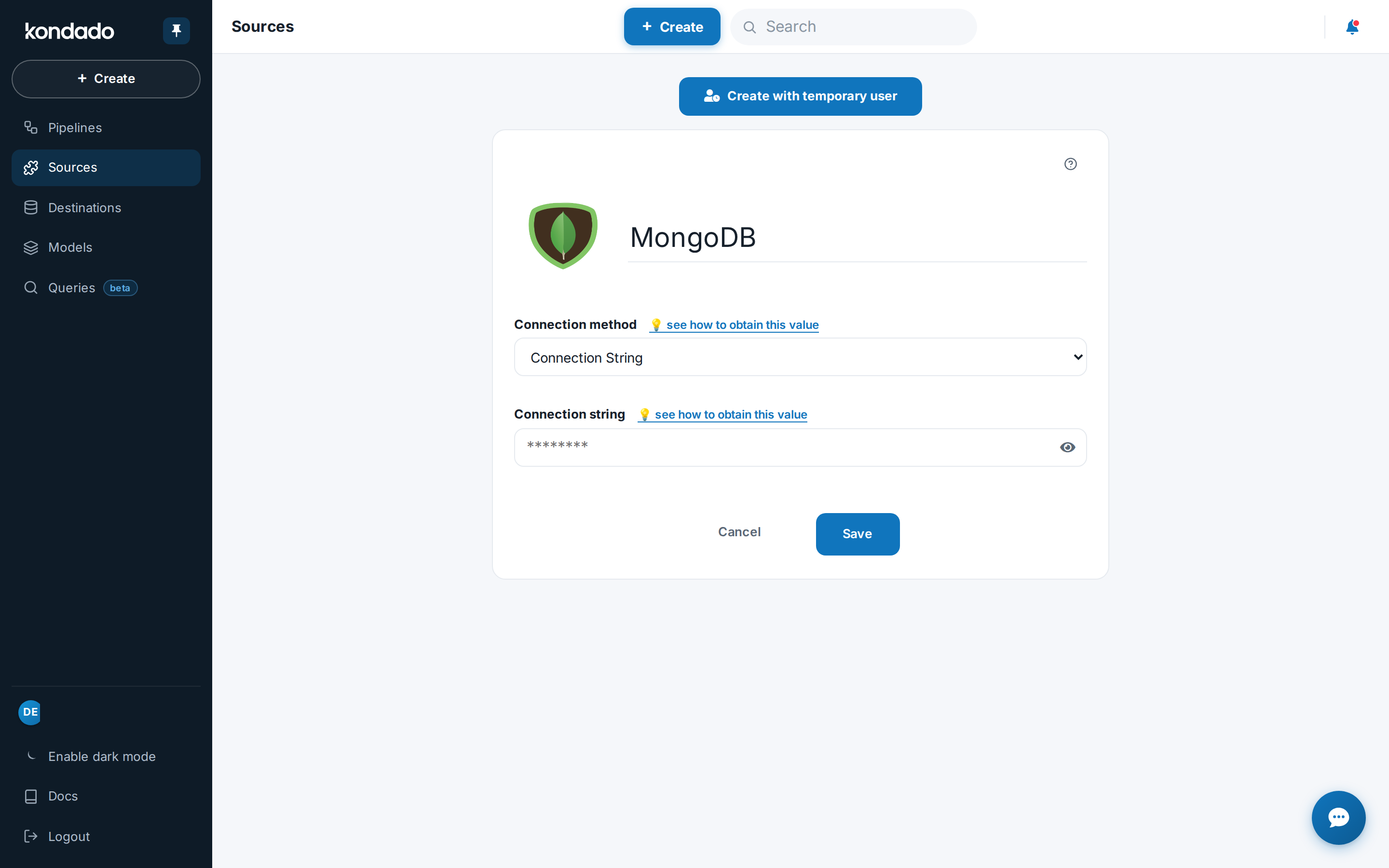
If you choose the Individual Parameters connection method, see the description of the required fields below:
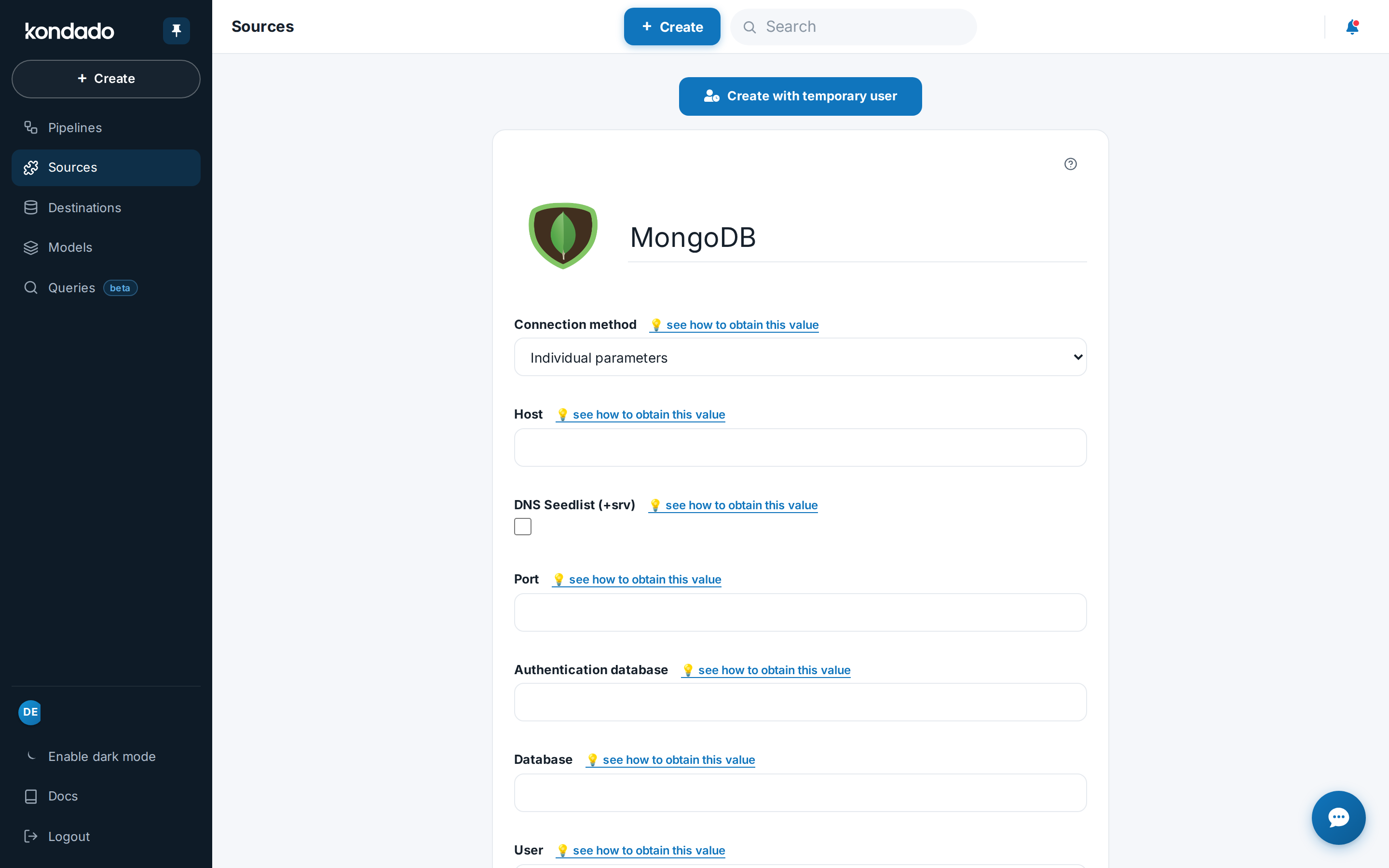
Name: An internal description of your connector, for example "Mongo product"
Address: IP or DNS of your database or cluster. Enter only the address here, without including database, port or parameters
DNS Seedlist: Check this option only if your database uses seedlist for connection (i.e.: its connection string contains "+srv"). This option is widely used in MongoDB Atlas databases.
Port: the port that should be used for the connection (usually 27017).
Authentication database: just the name of the authentication database (for example: admin)
Query database: just the query database name
User: the database user
Password: the user's password
Now, you can create your pipelines (one per collection) and start analyzing the Mongo data relationally!
Pipelines
Summary
Relationship chart
Click to expand
Notes
- This connector supports the following MongoDB versions: 2.6, 3.0, 3.2, 3.4, 3.6, 4.0, 4.2, 4.4 and 5.0
- _ids that are themselves other JSON objects are not supported - only collections/views whose _id is of type ObjectId, String or some other simple type are supported
- Part of this documentation was automatically generated by AI and may contain errors. We recommend verifying critical information
Add MongoDB as a data source on Kondado
Configure your MongoDB database as a source in Kondado to enable relational analytics through automated normalization and casting.
Allow Kondado IPs through your firewall
Before connecting, whitelist Kondado's IP addresses on your firewall so our platform can reach your MongoDB instance. This is a required security step for any data integration.
Choose your connection method
Select either "Connection string" (paste a URI like mongodb://host:27017) or "Individual Parameters" to enter Address, Port, User, Password, and database names separately. Check "DNS Seedlist" if you use MongoDB Atlas with +srv connections.
Configure normalization and casting options
Enable "Normalize" to flatten nested documents into separate relational tables, and "Cast" to auto-detect column types for your destination. Without Cast, all fields remain text and incremental sync is unavailable.
Set optional schema tuning parameters
Provide specific _ids for richer schema sampling, and list fields (like phone/ZIP codes) that must stay as text to prevent data loss from numeric conversion.
Create collection-specific pipelines
Build one pipeline per collection or view to start syncing. Your Mongo data will now be queryable in relational format for analytics and data visualization.
