Here’s the complete guide to implementing our template and customizing it for your GA4 report in Looker Studio!
Follow these simple steps:
2 - Choose your report: Within minutes, Kondado will automatically configure everything and provide you with a link to view the report populated with your data.
Report Features
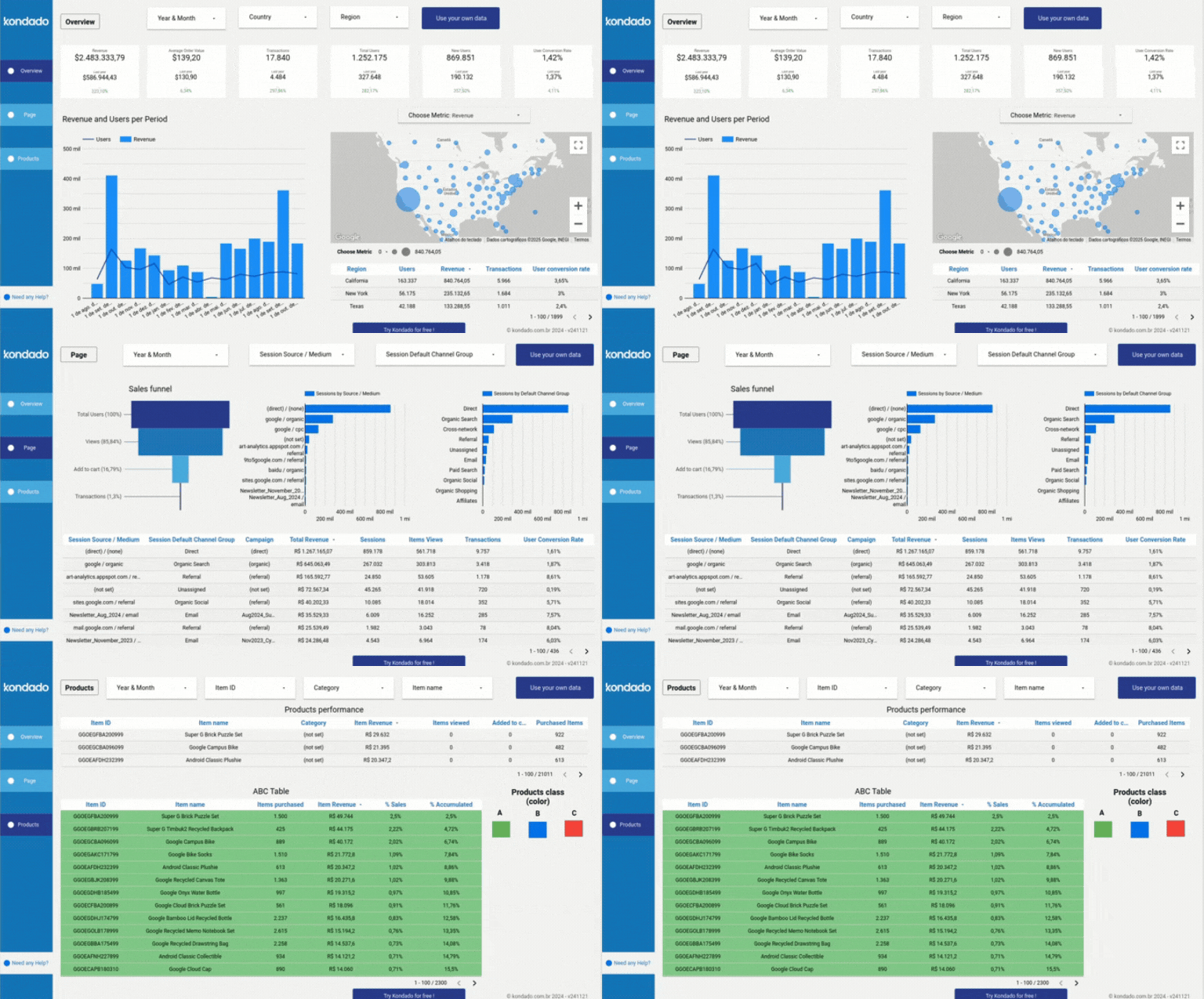
Our report is divided into three main pages:
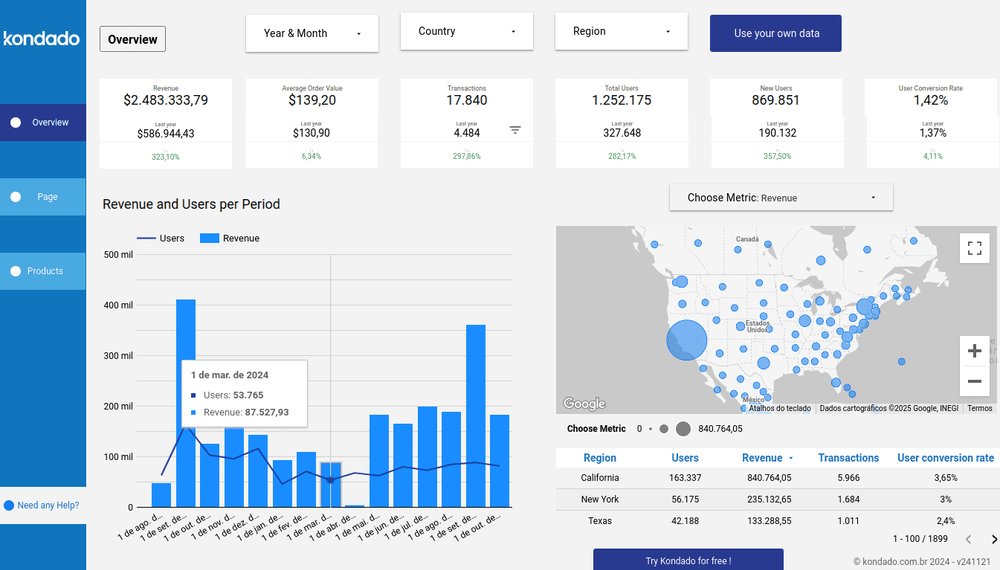
Overview Tab
Provides an overview of your business with key insights and metrics, such as revenue, users and user conversion rates, offering a quick understanding of your operation's performance.
Includes filters for period, country, and region, with the option to compare data with the same period from the previous year.
Pages Tab
Analyzes user interactions on your pages, featuring a sales funnel to clearly represent the customer journey, along with graphs of sessions by source/media and by standard channels. These insights help refine your engagement strategies.
Products Tab
Showcases product performance, including data like purchased items, revenue, views, and conversion rates. Identify your most profitable products and optimize results with the ABC graph analysis.
Report Metrics
Revenue and Users by Period Chart: A dual-axis graph that highlights the relationship between user volume and revenue over time.
Map Chart: Displays metrics like "New Users" and "Total Users" by region. Circle sizes on the map reflect relative metric values, making geographic analysis straightforward and detailed.
Sessions by Source/Medium Chart: Reveals which traffic sources drive the most visits, helping you refine acquisition strategies by analyzing session counts.
Products Table: Offers a detailed view of each product's journey, from initial view to purchase. It enables data-driven decisions to refine marketing strategies, improve product positioning, and boost sales by identifying top-performing items and areas for improvement.
Elevate your data analysis!
Create a GA4 Report in Looker Studio with Kondado
Use Kondado's free GA4 template to build a Looker Studio dashboard with revenue, users, pages, and conversions.
Pick the GA4 report template
Select Kondado's GA4 report template for Looker Studio so the platform knows which source and template to set up.
Connect Google Analytics 4
Authorize Kondado to read your GA4 property, including users, sessions, revenue, and page-level metrics.
Wait for the automated setup
Kondado replicates the GA4 data and provisions the Looker Studio template. You'll be notified when the report is ready.
Customize the dashboard
Open the report in Looker Studio. Use the Overview, Pages, and Devices tabs and adjust period/country/region filters to compare current data against the previous period.
