08. Agents: webhooks
Beta. Agents are in beta: the screens and features described here may change as we evolve the product. If something looks different on your screen, contact our support from the logged-in area of the platform.
A webhook is an address another system calls when something happens (a new order, a submitted form, an alert). Each call becomes a new task for the agent, with the content received.
Create a webhook
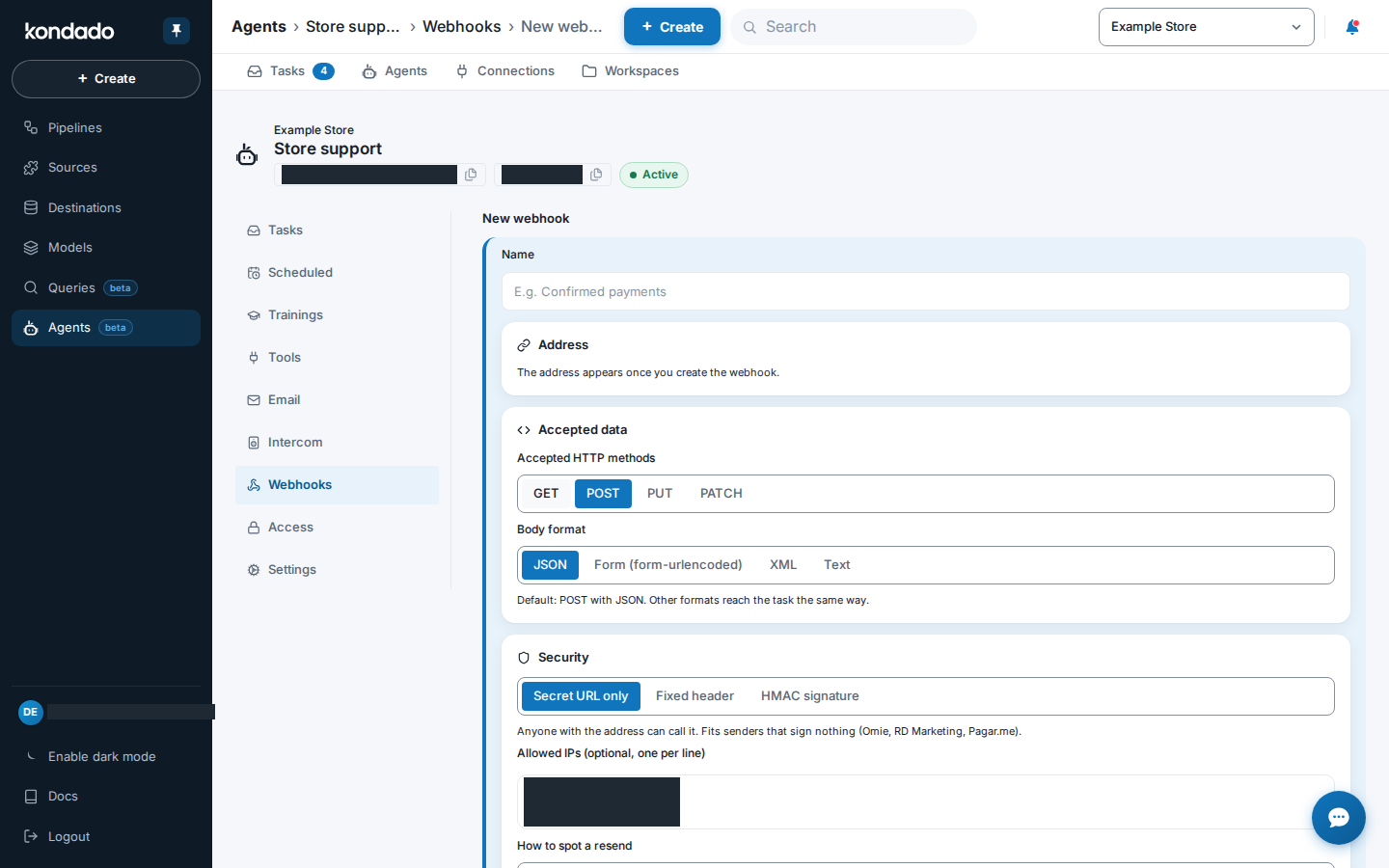
- In Agents, open the agent and go to the Webhooks tab.
- Click New webhook.
- Give it a name (for example, "Confirmed payments").
- Choose the accepted HTTP methods and body format (the default is POST with JSON).
- Choose the security: secret URL only, fixed header or HMAC signature. If you want, list the allowed IPs.
- Create the webhook.
- Copy the address and register it in the other system.
Copy the address right away. The full address is shown only once. If you lose it, generate a new address: the previous one is still accepted for a while, so you have time to update the other system.
Tips
- Use the agent instructions or a training to tell it what to do with each kind of call.
- In the other capabilities settings, choose what tasks created from webhooks can use. By default, everything is on.
- Treat the address like a password: whoever has it can create tasks for the agent, depending on the security chosen.
Create a webhook for an agent
Create the address and register it in the system that will call the agent.
1
Open the Webhooks tab
In Agents, open the agent and go to the Webhooks tab.
2
Click New webhook
Give it a name, choose the accepted data type and the security.
3
Create and copy
Create the webhook and copy the address, which is shown only once.
4
Register it in the other system
Paste the address in the system that will send the events.
Frequently asked questions
What happens when the webhook is called?
Each call becomes a new task for the agent, with the content received.
I lost the webhook address. How do I get it back?
The full address is shown only once. Generate a new address; the previous one is still accepted for a while.
Where do I create a webhook?
In the agent's Webhooks tab, with New webhook.
Can I limit what webhook tasks do?
Yes. In the other capabilities settings, turn off what tasks created from webhooks should not use.