Agents are AI assistants that work inside Kondado. You hand over a request, which becomes a task, and the agent talks to you, queries and acts on the company tools you connected to it, and returns the result in the task itself.
A task works like a conversation: you can reply, change direction, approve or deny an action and ask for adjustments until it is the way you need.
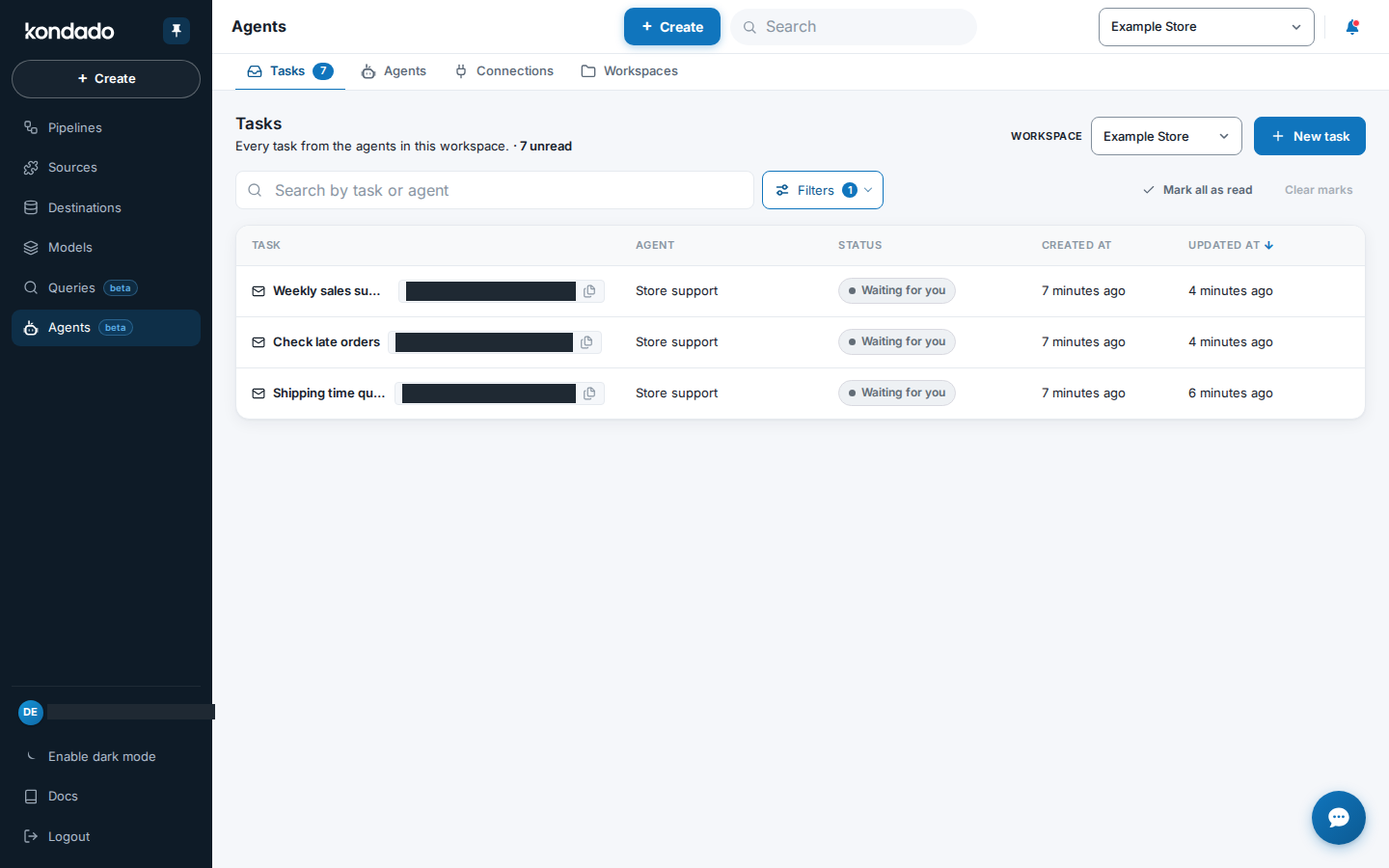
Where to find Agents
Agents live inside the Kondado platform, in the Agents item of the side menu, marked with a beta badge. The area has four tabs:
- Tasks: every request made to the agents, with the status of each one.
- Agents: the agents in your workspace and the setup of each one.
- Connections: the tools the agents can use.
- Workspaces: the spaces that organize agents, tasks and people.
Every account comes with a ready-made agent that helps with the Kondado platform itself (queries, pipelines, sources and destinations) and uses what is open on your screen as context. It lives in the Agents assistant side panel.
What an agent can do
- Query your Kondado account data and answer questions about it.
- Read and record information in systems such as ERP, CRM and finance tools, through the connected tools.
- Send and receive emails with its own address.
- Run recurring requests, such as a report every Monday.
- React to events from other systems, received by webhook.
- Browse websites to look up information or fill in a form.
- Talk to other agents in your account.
You stay in control
Every operation of every tool has a permission: the agent can run it without asking, always ask for your approval first, or never run it. When the agent needs approval, the task waits for your decision. See Tool permissions.
Articles in this section
Start using Kondado Agents
Find the Agents area, create an agent and give it its first task.
Open Agents
In the Kondado side menu, click Agents.
Create or pick an agent
In the Agents tab, use the ready-made agent or click New agent.
Connect tools
In the Connections tab, add the tools the agent will use and turn them on in the agent's Tools tab.
Create a task
Describe what you need in the agent's Tasks tab or in the side panel.
Follow up and approve
Reply to the agent in the task and approve or deny the actions that ask for authorization.