What data sources can I connect to Power BI through Kondado?
▼
You can connect over 80 different sources including CRMs like Salesforce and HubSpot, advertising platforms like Meta Ads and Google Ads, ERPs, e-commerce systems like Shopify and WooCommerce, plus analytics tools. Each source offers specific pipelines such as Orders, Campaigns, Payments, and Shipments.
How does automatic data updating work in Power BI?
▼
After configuring your pipelines in Kondado, you set your preferred update frequency, which can be every 5 minutes, 15 minutes, hourly, or daily. Kondado replicates data automatically at these intervals, keeping your Power BI dashboards current without manual intervention.
Can I create Power BI dashboard templates with Kondado?
▼
Yes, you can develop standardized Power BI reports using data replicated by Kondado. Many agencies create ready-made templates for marketing managers and sales leaders, accelerating analytics delivery for new clients or internal projects.
What is the minimum data refresh frequency in Power BI?
▼
Kondado allows you to configure updates as frequently as every 5 minutes, ideal for operations teams monitoring urgent metrics like low inventory or active campaigns. You adjust this frequency based on each pipeline's specific needs.
Can I share Power BI dashboards built with Kondado data?
▼
Yes, dashboards created in Power BI using Kondado data can be shared with your entire team or clients through Power BI Service. The data continues updating automatically via Kondado even when shared across your organization.
What visualizations can I create in Power BI with e-commerce data?
▼
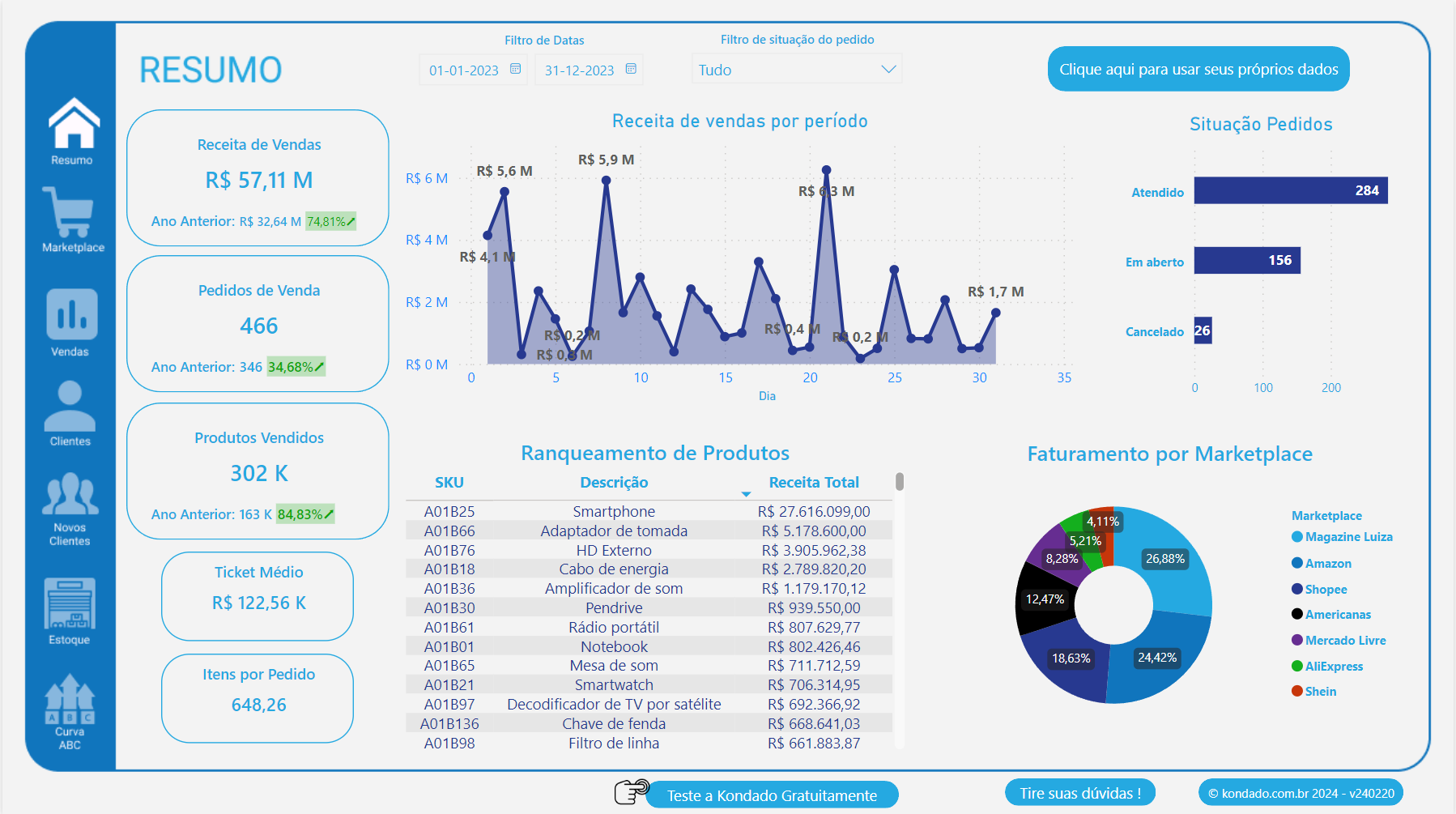
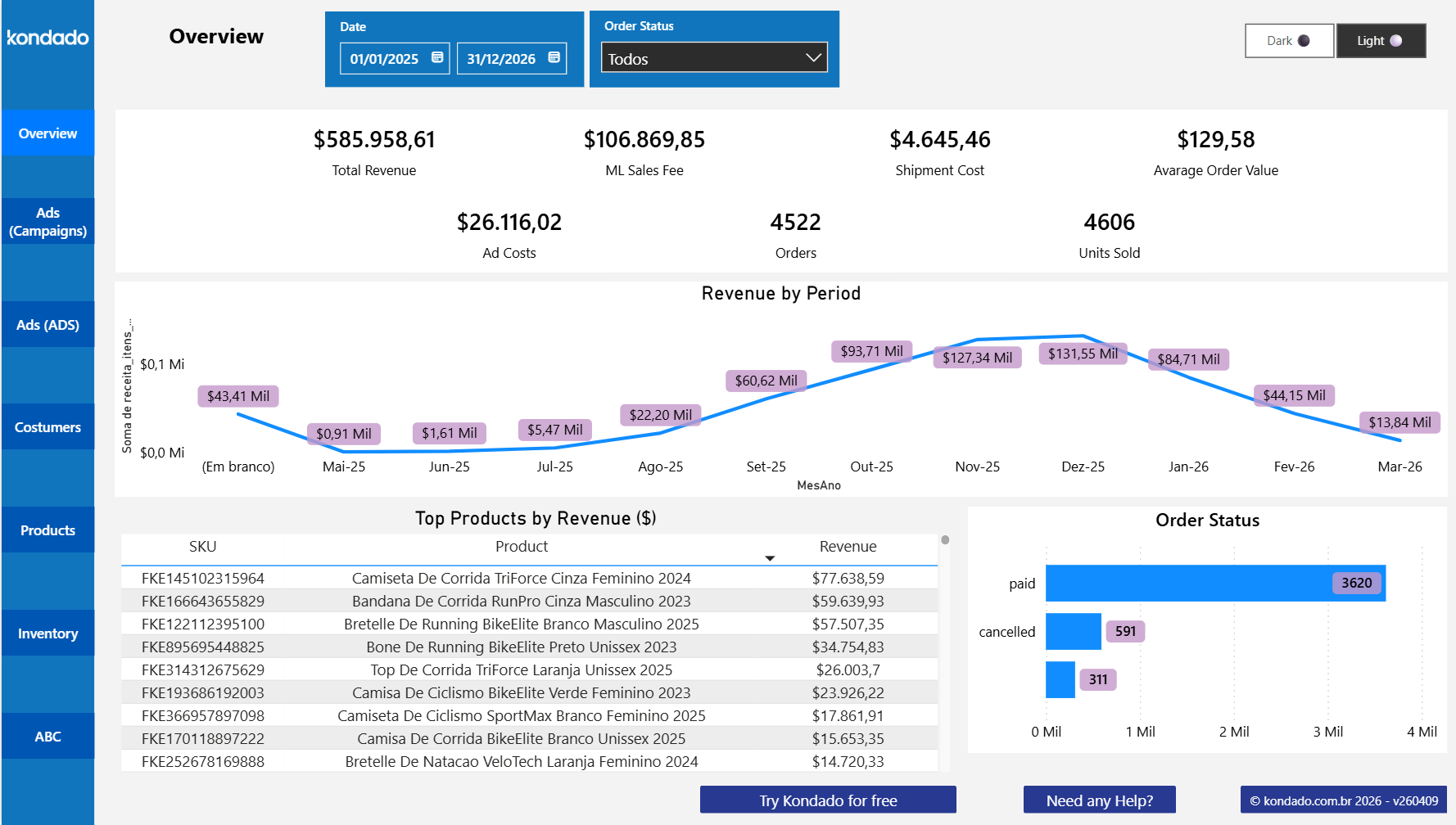
You can build conversion funnel charts, sales heat maps by region, average order value analyses, return reports, and customer behavior panels. The Orders, Payments, and Shipments pipelines let you cross-reference sales data with logistics information.
Do I need coding skills to connect data to Power BI using Kondado?
▼
No technical knowledge or programming is required. Kondado offers a visual interface where you select desired pipelines and configure the connection in just a few clicks, making the process accessible for business managers.
How do I connect Meta Ads data to Power BI with Kondado?
▼
Within Kondado, select the Meta Ads pipeline and choose which metrics to replicate, such as Campaigns, Ad Sets, and Performance Metrics. Within minutes, this data becomes available in Power BI for building your marketing dashboards.



















































































































'%3E%3Cpath d='M51,41a9.978,9.978,0,0,0-7.857,3.835L22.648,34.588a9.69,9.69,0,0,0,0-5.176l20.5-10.247a10.1,10.1,0,1,0-1.791-3.577L20.857,25.835a10,10,0,1,0,0,12.33L41.352,48.412A9.994,9.994,0,1,0,51,41Z' fill='%23383e51'%3E%3C/path%3E%3C/g%3E%3C/svg%3E)
'%3E%3Cpath d='M33,47.645V60.71c.024-.014.05-.018.073-.033l11-7A2,2,0,0,0,45,51.992V40.012Z' fill='%23383e51'%3E%3C/path%3E%3Cpath d='M31,47.645,19,40.011V51.992a2,2,0,0,0,.927,1.688l11,7c.023.015.049.019.073.033Z' fill='%23383e51'%3E%3C/path%3E%3Cpath d='M32,21.693l12-7.634L33.076,7.086a2,2,0,0,0-2.152,0L20,14.059Z' fill='%23383e51'%3E%3C/path%3E%3Cpath d='M12,35.556,0,27.922V39.9A2,2,0,0,0,.927,41.59l11,7c.023.014.049.019.073.033Z' fill='%23383e51' data-color='color-2'%3E%3C/path%3E%3Cpath d='M52,35.556l12-7.634V39.9a2,2,0,0,1-.927,1.687l-11,7c-.023.014-.049.019-.073.033Z' fill='%23383e51' data-color='color-2'%3E%3C/path%3E%3Cpath d='M47,38.914a2,2,0,0,0-.924-1.686L38,32.074V27.922l12,7.634V48.621c-.024-.014-.05-.019-.073-.033L47,46.726Z' fill='%23383e51' data-color='color-2'%3E%3C/path%3E%3Cpath d='M13,33.821l12-7.634L14.076,19.214a2,2,0,0,0-2.152,0L1,26.187Z' fill='%23383e51' data-color='color-2'%3E%3C/path%3E%3Cpath d='M17,38.914a2,2,0,0,1,.924-1.686L26,32.074V27.922L14,35.556V48.621c.024-.014.05-.019.073-.033L17,46.726Z' fill='%23383e51' data-color='color-2'%3E%3C/path%3E%3Cpath d='M32,45.91l12-7.634L33.076,31.3a2,2,0,0,0-2.152,0L20,38.276Z' fill='%23383e51'%3E%3C/path%3E%3Cpath d='M14.076,19.214a2,2,0,0,0-2.152,0L1,26.187l12,7.634,12-7.634Z' fill='%23383e51' data-color='color-2'%3E%3C/path%3E%3Cpath d='M49.924,19.214a2,2,0,0,1,2.152,0L63,26.187,51,33.821,39,26.187Z' fill='%23383e51' data-color='color-2'%3E%3C/path%3E%3Cpath d='M26,27.922,14,35.556V48.621c.024-.014.05-.019.073-.033L17,46.726V38.914a2,2,0,0,1,.924-1.686L26,32.074Z' fill='%23383e51' data-color='color-2'%3E%3C/path%3E%3Cpath d='M27.076,25.138A2,2,0,0,1,28,26.824V30.8l1.848-1.179A4,4,0,0,1,31,29.123V23.428L19,15.794v4.19Z' fill='%23383e51'%3E%3C/path%3E%3Cpath d='M36.924,25.138A2,2,0,0,0,36,26.824V30.8l-1.848-1.179A4,4,0,0,0,33,29.123V23.428l12-7.634v4.19Z' fill='%23383e51'%3E%3C/path%3E%3Cpath d='M33.076,31.3a2,2,0,0,0-2.152,0L20,38.276,32,45.91l12-7.634Z' fill='%23383e51'%3E%3C/path%3E%3C/g%3E%3C/svg%3E)
'%3E%3Cpath d='M50.348,42.573c0-9.411-8.691-12.336-16.348-14.416v-16.1a32.837,32.837,0,0,1,9.363,1.656l2.778,1.11,2.228-5.57L45.584,8.134A38.043,38.043,0,0,0,34,6.046V1H30V6.081c-8.213.594-16.348,4.86-16.348,13.471,0,9.036,8.841,11.732,16.348,13.744V50.074a33.591,33.591,0,0,1-12.006-2.511l-2.683-1.341-2.684,5.367,2.684,1.342c.243.121,5.7,2.792,14.689,3.152V63h4V56.065C44,55.462,50.348,50.3,50.348,42.573Zm-30.7-23.021c0-5.133,5.96-7.016,10.348-7.446V27.071C23.512,25.243,19.652,23.535,19.652,19.552ZM34,50.043V34.393c6.5,1.882,10.348,3.761,10.348,8.18C44.348,48.377,37.873,49.744,34,50.043Z' fill='%23383e51'%3E%3C/path%3E%3C/g%3E%3C/svg%3E)